


Facebook has 2 new features (Scheduled Posts & Admin Rolls) that will make it easier to manage your fan page.
The first is Scheduled Posts
As a page admin you are now able to schedule Facebook status updates up to 6 months in advance. In the post there is now a clock icon in the bottom left corner that appears as you begin typing your new post.

You will then be prompted to select the year, month, date, hour and minute. Once you’ve completed your post and scheduled it, a confirmation box will pop-up.
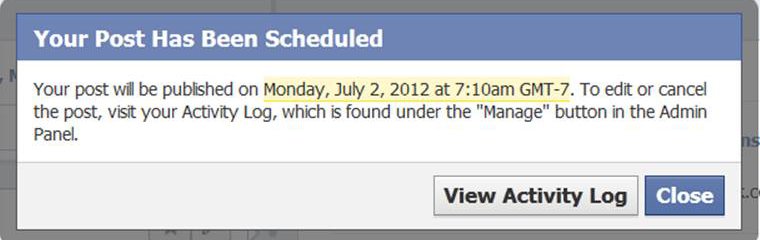
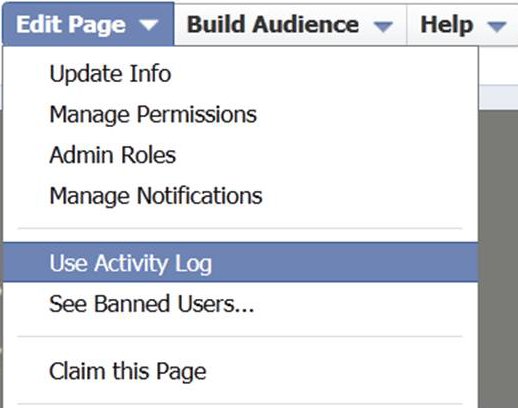
You can either view the activity log or close it at this point. Should you need to edit a post you can do so my clicking on Manage/Edit Page then Use Activity Log from the Admin Panel.
The advantage to scheduling your post directly in Facebook versus using a third party app like Buffer or Hootsuite is you will no longer be penalized by Edgerank.
The second feature is Admin Roles
If you have a fan page admins with multiple users, you now have the option to adjust each admin’s role.
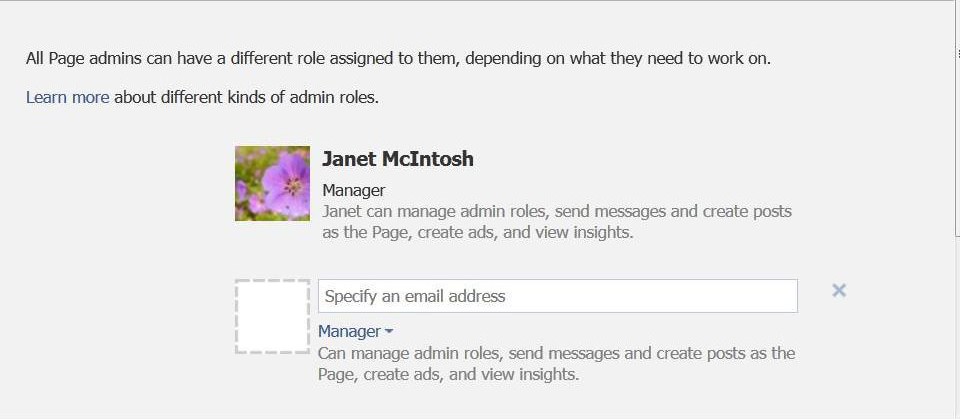
There are 5 role types, each with it own set of permissions. Note that “Managers” will retain full admin rights, while “Insight Analyst” can only access that fan page’s insights.
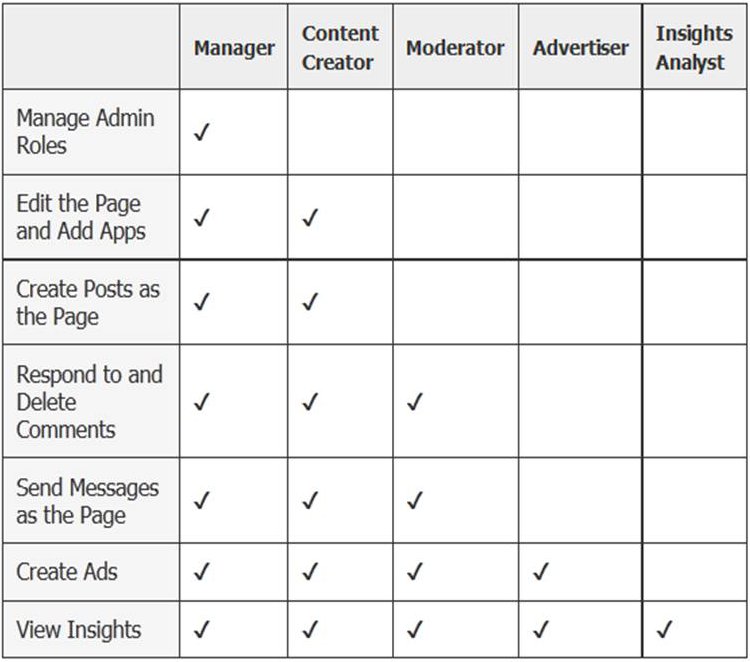
With these roles, small business owners in need of additional assistance with their fan pages will now have the option of granting a range of access to their support staff. Therefore, making it much easier to get the necessary help needed without hesitation.
Updates have also been made to Personal Profiles. For more information on those, check out this article from Simply Zesty about 3 Newsfeed changes.
Which one of these two features are you looking forward to utilizing the most?